How to Build a Shopping App for iPhone and Android
Build a Shopping App for iPhone and Android. Shape the first journey, connect the data and test before release.
Can I build this app without coding?
Yes. You can use RNBlocks to describe the app, generate a React Native and Expo project for iPhone and Android, then refine it through conversation. Start with one complete task: find a product, choose an option and review the basket. A generated interface is the beginning. Saved data, connected services and release preparation still need to match what you intend people to do.
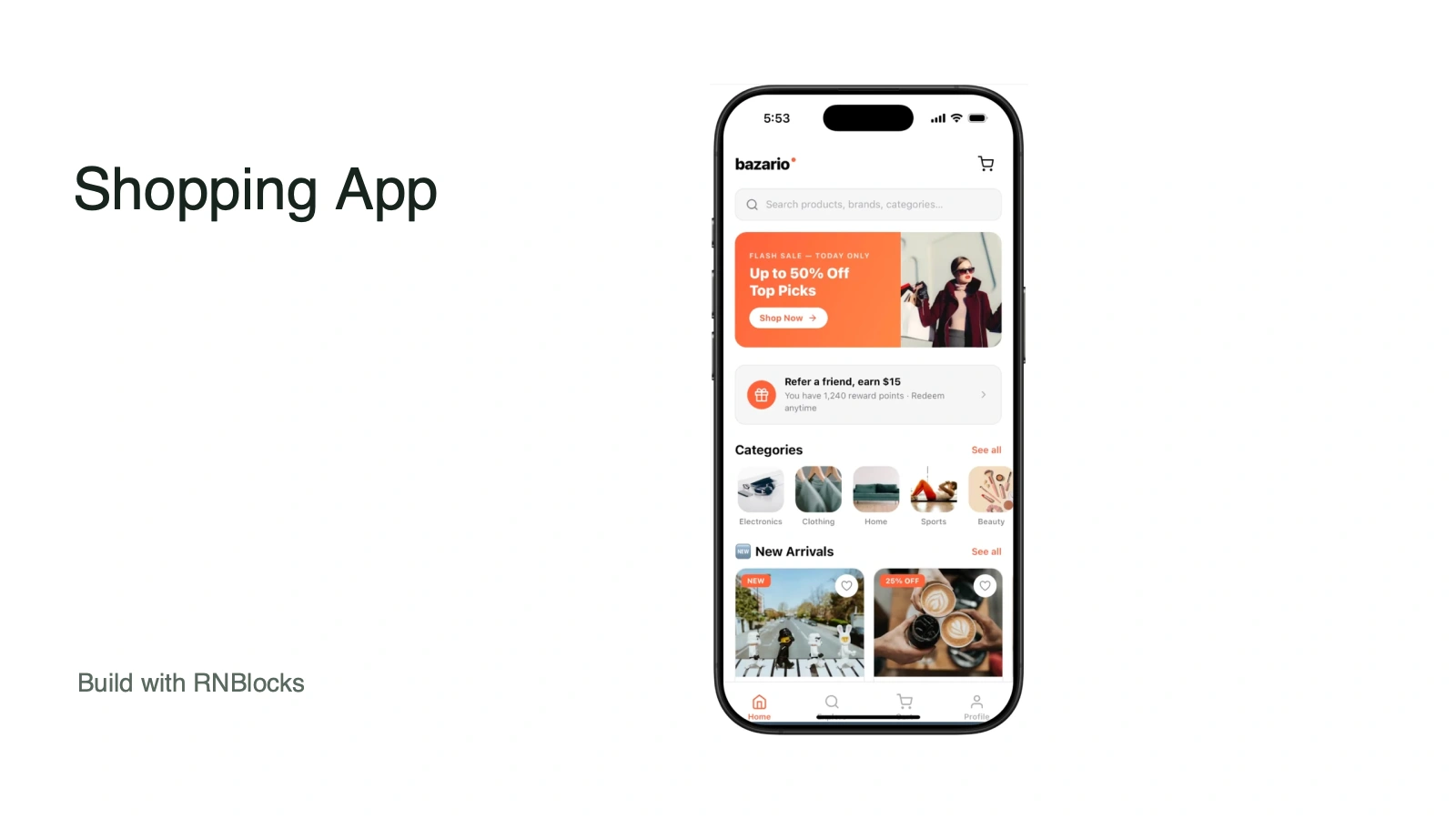
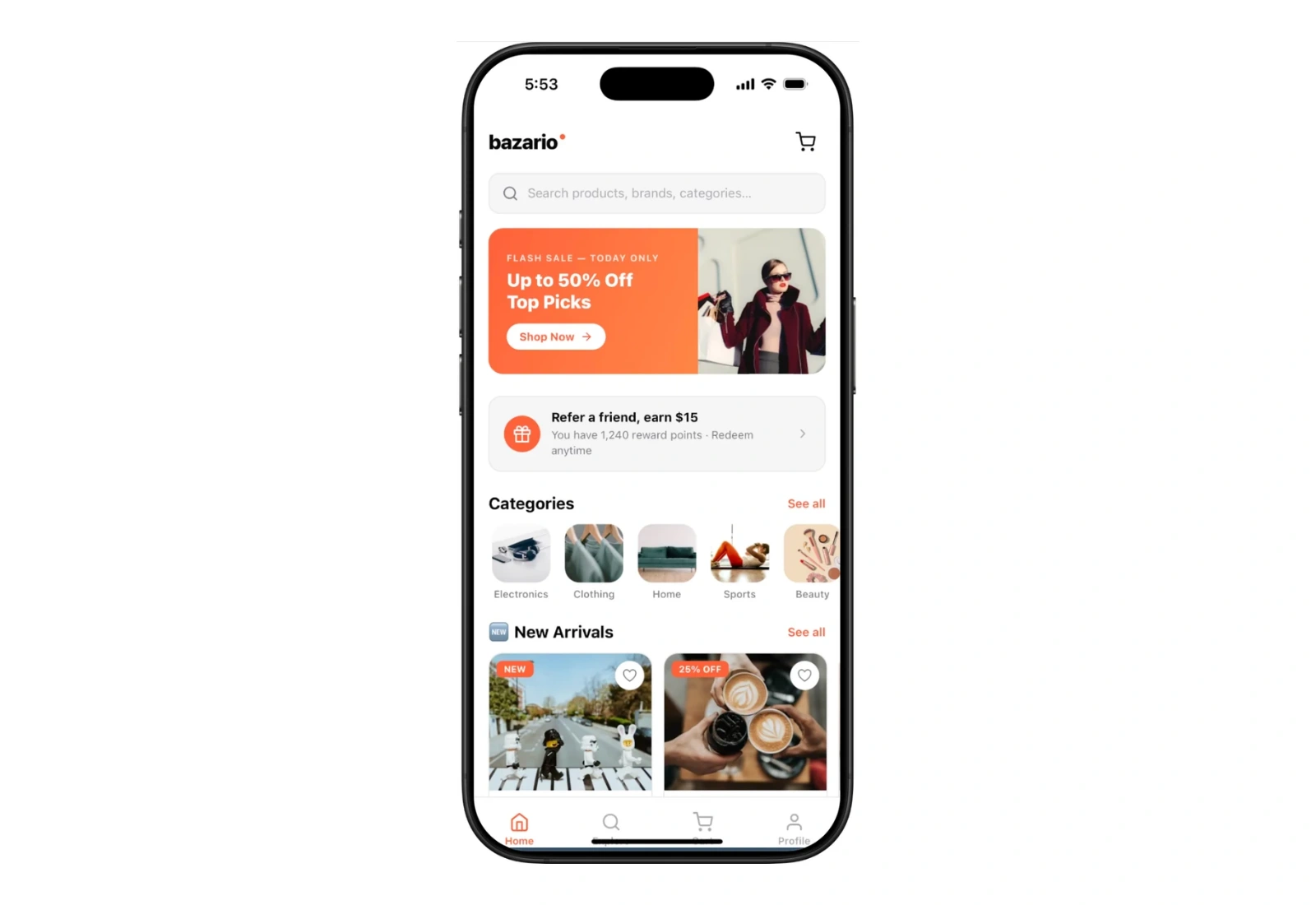
This guide uses the Bazario example as a starting point. The example shows a direction you can adapt; the steps below describe what to request and test in your own project.
Choose who the first version helps
Build the first version for a small shop helping customers browse a focused catalogue. That choice is more useful than asking for every feature found in the biggest app in the category. It tells you which information matters, which screens should come first and what a successful session looks like.
Write down the situation in which someone opens the app. What do they already know? What do they need to decide? What should be different when they close it? Keep those answers beside the project as you make changes. When a new feature does not help that first journey, save it for later rather than putting it into the first build.
Start from the example or write a clear first request
Open the example to inspect its layout, then start your own project in RNBlocks. If you want a different visual direction, say so directly. Name the audience, task and screens instead of relying on “make it modern” to explain the whole idea.
A useful starting request is:
Build an iPhone and Android app for a small shop helping customers browse a focused catalogue. The first version should let someone find a product, choose an option and review the basket. Include product catalogue, product detail, basket and order summary. Use realistic, clearly labelled sample content. Make every navigation action lead somewhere useful. Tell me which parts still need a connected service.
Follow the first-app guide if you are new to RNBlocks. Read the generated result before asking for more. Check the first task in the preview, identify the earliest point that fails and refine that point before expanding the scope.
Plan the screens around the task
The starting screen set is product catalogue, product detail, basket and order summary. Each screen should either help someone make a decision, complete an action or understand the result. A screen that only repeats the same information may not need to exist yet.
Pay particular attention to going back. The person should not lose a draft or selected item simply because they inspected another screen. Include useful empty states and an understandable next step. A polished screenshot full of sample records can hide the fact that a first-time user has nothing to tap.
Decide what the app needs to remember
Give every product variant its own identifier. A basket line needs that variant, quantity and a price reference. A product photograph or name is not a reliable identifier: different sizes can look identical while having different stock.
For a first prototype, sample records can make the layout easier to evaluate. Label them honestly. If people need their information after signing in on another phone, plan account-linked storage and access rules. The Supabase guide explains that next step.
Do not assume that a visible Save button proves permanent storage. Save a record, leave the screen and return. Then close and reopen the app. If accounts are part of the requirement, test with two different accounts so private information does not appear in the wrong one.
Refine one behavior in the same conversation
Once the first journey is visible, request a focused change. Describe the screen, action and expected result. Also name what should stay the same, especially when you already like the design.
For this app, try:
In the basket, show the selected size and colour for every item. Let me change quantity without changing other lines. Keep the current product images and typography.
Review the result in context. If the change works, continue with the next issue. If it does not, describe the observed behavior and the expected behavior rather than starting the whole app again. The change-request guide covers how to make follow-ups more precise.
Test the journey on a phone
Add two sizes of the same product, change one quantity and remove the other. Reopen the basket. Check totals and empty states, then test what happens when a selected item becomes unavailable.
Use the browser preview to iterate, then follow the supported phone-preview route to check the real screen size, keyboard and navigation. Read how to test on your phone for the setup. A browser layout alone does not tell you whether a keyboard covers the submit button or a long title fits on a small phone.
Ask someone who did not build the project to try the first task without coaching. Watch where they hesitate. A short observation can reveal a missing label or confusing next step more clearly than another round of styling changes.
Connect the real operation before promising a launch
The shopping template is a starting point for catalogue and basket interactions. Actual payments, stock, taxes, shipping and refunds need suitable services and testing. A sample order-confirmation screen is not proof that money moved or an order reached a fulfilment system.
Separate what the interface demonstrates from what a connected service has actually completed. A useful first version can be small, but its main action should be truthful. Show a pending or failed state when a request has not succeeded instead of displaying a success message automatically.
Prepare the app for other people
When the task works, prepare the release details: app identity, appropriate accounts, a suitable build, store assets and privacy and support information. RNBlocks has a publishing agent for apps built in RNBlocks. The publishing guide explains how that fits into the process; store review and account requirements still apply.
Use screenshots from the real app, with copy that explains the first useful task. Do not advertise an integration that is still a placeholder. Test again after the final changes, particularly sign-in, saving and any paid or external action.
Questions before the first build
Is the template the finished service?
No. It is a starting example for the interface and journey. Your own data, service connections, access rules and release checks determine whether it is ready for real use.
Can I change the design and keep the code?
You can refine the project through conversation and download its source through the supported export workflow. Check the current plan requirements on pricing before choosing a plan for export or continued building.
What should I build first?
Start with the task in this guide: find a product, choose an option and review the basket. Get that working with understandable states before adding adjacent features. You can start building in RNBlocks and keep refining the same app as you learn from people trying it.
Ready to build?
Build, connect and publish iOS and Android apps with AI.