AI React Native and Expo App Builders: What to Compare
Compare RNBlocks, Draftbit, Replit and Bolt by React Native and Expo output, source export and the actual route to iPhone and Android release.
If you want an AI builder that produces React Native and Expo code, start by comparing RNBlocks, Draftbit, Replit and Bolt. They document mobile projects built on that stack, but their editing, export and publishing workflows differ. Check those differences before choosing a plan.
This guide is published by RNBlocks. It compares documented capabilities, not a scored hands-on contest. Sources were checked on October 30, 2026.
Compare the project you get, not just the preview
A phone-shaped preview can display a website, a React Native app or a native Swift app. Those outputs have different development and release paths. Ask which framework a new project uses, whether iPhone and Android share code, and what you can download.
| Builder | Mobile project | Source access | Release workflow to examine |
|---|---|---|---|
| RNBlocks | React Native and Expo | App ZIP on Pro or Studio | Agent-guided preparation, assets, builds, testing and supported store-submission steps for RNBlocks apps |
| Draftbit | React Native, Expo and TypeScript | ZIP and GitHub export, subject to plan | Built-in publishing and a manual exported-project route |
| Replit | React Native and Expo | Inspect the project and Git workflow | Guided iOS release; its docs currently exclude Google Play publishing |
| Bolt | Expo mobile project when requested from the start | Download code for the documented release workflow | Download, configure and build with Expo Application Services |
The links below explain each workflow. Check current plans before paying for export or builds.
RNBlocks: build, connect and prepare the release in one workspace
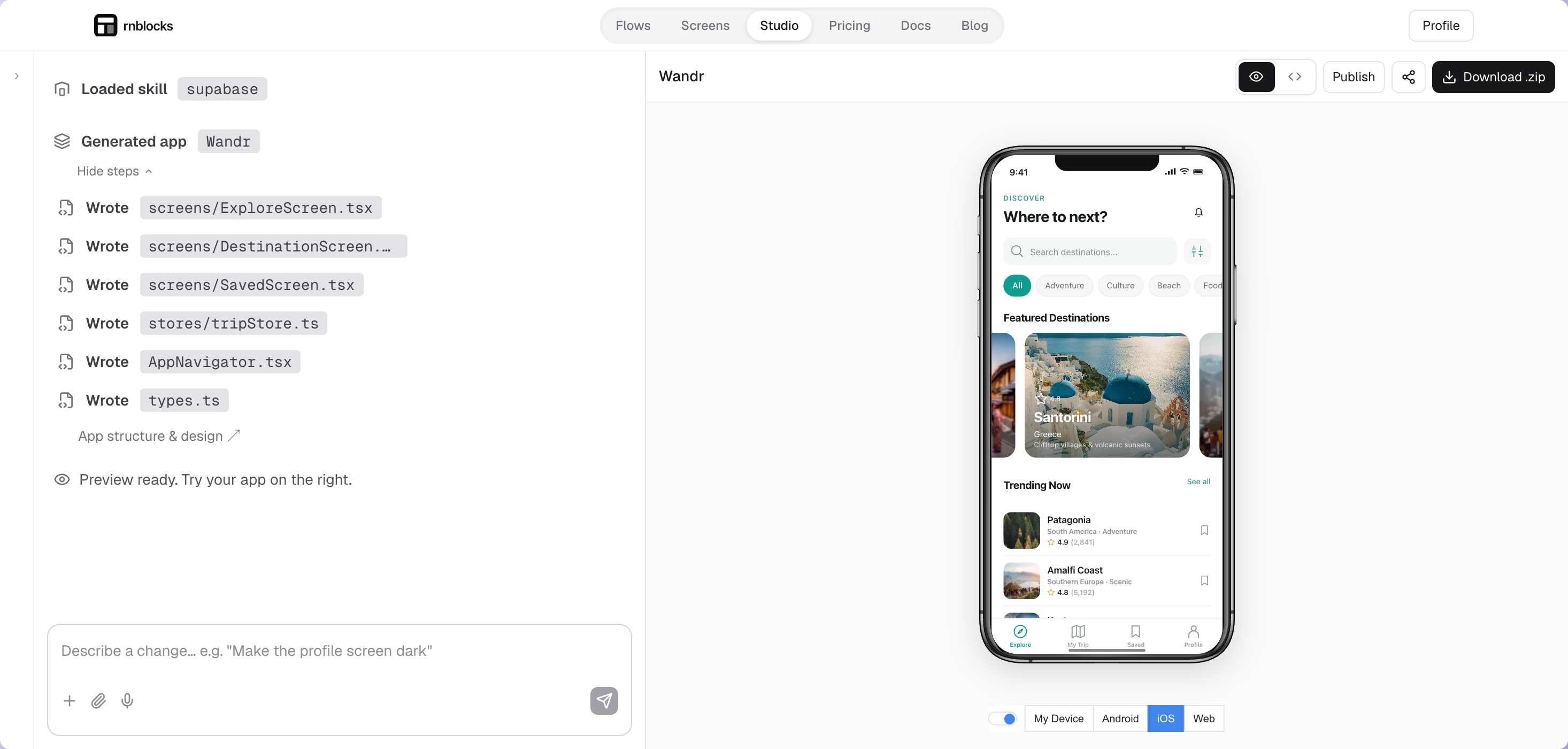
RNBlocks generates React Native and Expo apps from a conversation. You can refine the app in Studio, test its main journey, connect supported services and use the publishing workspace to prepare a release.
The source export guide explains ZIP downloads and connected-service dependencies. A ZIP does not contain a replacement for every hosted service. Apps using Supabase and AI connectors together currently need additional connection setup when exported.
The publishing guide covers release preparation. The workflow is for RNBlocks apps, rather than a general importer for projects from any builder. You still own the developer accounts and complete private account steps, agreements and payments. Apple and Google decide review outcomes.
Try an existing mobile app example before starting your own project. Use current pricing to compare source export and installable-build access.
Draftbit: inspect export and publishing separately
Draftbit documents mobile output as React Native with Expo and TypeScript. Its export FAQ describes downloading the full project and continuing in another editor. It also explains that code and hosted services are separate, and that its GitHub export runs in one direction.
Its publishing documentation covers native releases, test builds and export. Check the plan needed for your intended workflow, not just whether the editor lets you view code.
Replit: mobile output with a specific publishing boundary
Replit's native mobile documentation describes React Native and Expo projects, phone previews and streamed simulators. It also documents a guided route through TestFlight and the App Store.
The same page currently says Google Play publishing is not supported by Replit. Building or previewing an Android app is different from submitting it to Google Play. If Android release is essential, decide how you will handle that step before committing to the workflow.
Bolt: request mobile from the first prompt
Bolt's Expo integration guide says to specify a mobile app in the initial request. It describes testing with Expo Go, then downloading the source and using EAS tools for builds and store distribution.
This can suit someone comfortable taking the generated project into a code editor. Account for that work when comparing it with a release flow inside a builder.
What about Rork and FlutterFlow?
They are relevant mobile builders, but check the stack if React Native is a requirement. Rork's current documentation says new Expo projects are no longer offered. New iPhone apps use Swift, Android apps use Kotlin, and existing Expo projects remain supported. Do not choose it for a new Expo project based on an older comparison.
FlutterFlow uses Flutter rather than React Native. Our Expo and Flutter comparison explains that choice. A different stack can still fit your app; it simply changes the code and skills you will use.
Give each builder the same small job
Try a reading-list app: add a book, open its details, change its status and reopen it after restarting. Then request one small edit. Check that existing data and navigation still work.
If source ownership matters, download the project and have a developer run it outside the builder. If publishing matters, identify the exact next outcome: phone preview, installable test build, TestFlight, closed testing or public release. Expo's submission overview explains why uploading a build and completing a release are separate steps.
Start with the workflow you need
Choose by what you must maintain after the first generation: shared iPhone and Android code, connected data, source access and the release process. For a broader comparison across mobile and web stacks, see our AI mobile app builder guide. To build a React Native and Expo app with RNBlocks, start in Studio.
Ready to build?
Build, connect and publish iOS and Android apps with AI.