
What Is an API Key, and Why Must It Stay Secret?
What API keys are, why they should never be inside your app's code, and where to keep them instead.
What is an API key?
An API key is a password for a service, such as OpenAI, a weather service or a payment provider. It tells the service which account to bill and what that account may do. Anyone who has your key can use the service as you, and you pay for it. That is why secret keys must stay outside client app code. Publishable identifiers are a different credential type.
Why inside the app is unsafe
App files can be unpacked. A key bundled in a mobile or web app can be extracted in minutes, then used to run up your bill or access your data.
Where keys belong
- On your backend: a server or edge function that holds the key and calls the service on the app's behalf.
- In a secrets manager or environment variables, not in code repositories.
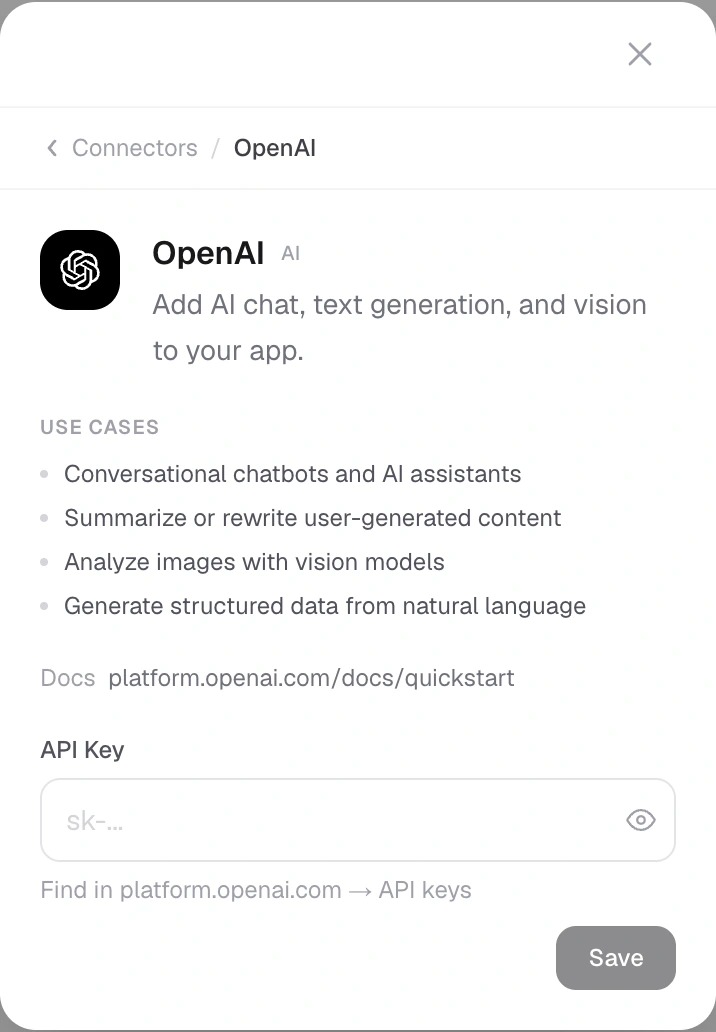
- Through a connector that stores the key for you, outside the app's source.
Publishable vs secret keys
Some services give two keys. A publishable key (such as Stripe's or Supabase's anon key) is designed to sit in the app and is limited by rules on the server. A secret key must stay on the server.
If a key leaks
- Revoke it in the provider's dashboard.
- Create a new one and store it safely.
- Check usage and billing for activity you did not expect.
Not every key is the same kind of secret
Some services deliberately issue public client identifiers or publishable keys. Others issue secret keys that can spend money, access private data or perform privileged actions. Read the provider's intended use before deciding where a credential belongs.
For Supabase, a publishable key can be included in the client when permissions and row-level policies are correctly configured. A secret or service-role key must remain on a trusted server. The existence of a public key does not make every database record public, and it does not replace access rules.
Environment variables do not automatically hide a key
A value used while building a mobile or web client may be bundled into the final app. Naming it an environment variable does not make the result private. Client-exposed prefixes and build configuration deserve particular attention.
For a secret AI credential, the phone should call a trusted backend that checks the user and forwards the permitted request. The backend holds the key. It should also limit usage so one account cannot generate an unexpected bill.
A connector is only part of the design
Saving a credential in a private connection form is better than pasting it into a conversation. The application still needs a supported server-side route to use it. A saved connection does not prove the feature makes successful requests or that every caller is authorized.
Test the actual feature and its failure behavior. Check that secrets do not appear in downloaded source, screenshots or logs.
Use the least access needed
When the provider supports scoped keys, choose the operations the app requires rather than broad account access. Separate development from production where practical. Keep a record of where each key is used without copying the key itself into an ordinary document.
If you rotate a key, update the legitimate services using it and verify their requests. Do not leave the old key active merely because one test succeeds with the replacement.
If someone already pasted a secret
Treat it as exposed. Revoke it with the provider, replace it in the appropriate private configuration and review usage. Removing the visible message alone cannot retract copies or logs.
Avoid asking support staff to inspect a full credential. The provider, connection name, last few characters where appropriate and error message usually provide safer ways to identify the problem.
The goal is not to make integration intimidating. It is to keep the account's authority in the place designed to protect it while giving the app only the access it needs.
Is a hidden input enough protection?
Masking the characters protects them from casual viewing on screen. It does not determine where the credential is stored or sent. Use the provider's recommended secret handling and the application's supported private configuration.
Can I share a key with a developer?
Prefer appropriately scoped access or the provider's collaborator tools where available. If access is necessary, use a suitable private method and understand what the key permits. Avoid ordinary public issue threads and screenshots.
What should an example contain?
Use a placeholder that cannot authenticate, such as YOUR_SECRET_KEY, and explain where a real value belongs. Do not publish a working credential as a convenient tutorial shortcut.
Will deleting a repository file remove the secret?
Not from copies, history or logs already created. Rotate an exposed credential rather than assuming a visible deletion retracts it. Then inspect the affected services and usage.
How should I check an exported project?
Review source, configuration and build-time variables for privileged values. Some public identifiers are expected; secret provider keys are not. Confirm server-side calls still work without embedding the key in the client. If the app needs a trusted proxy or connection setup after export, document that dependency so a future maintainer does not 'fix' it by exposing the credential.
Build it with RNBlocks
RNBlocks provides private connector forms for supported provider credentials. Keep secrets there rather than in prompts or client files, and verify the resulting feature. Start with a clear task so the connection serves something useful in your app.
Ready to build?
Build, connect and publish iOS and Android apps with AI.