What Happens When You Tap Place Order in an App?
Follow one food order from the screen to the shop and back: frontend, backend, API, payment confirmation and why two taps should make one order.
What happens when you tap Place order?
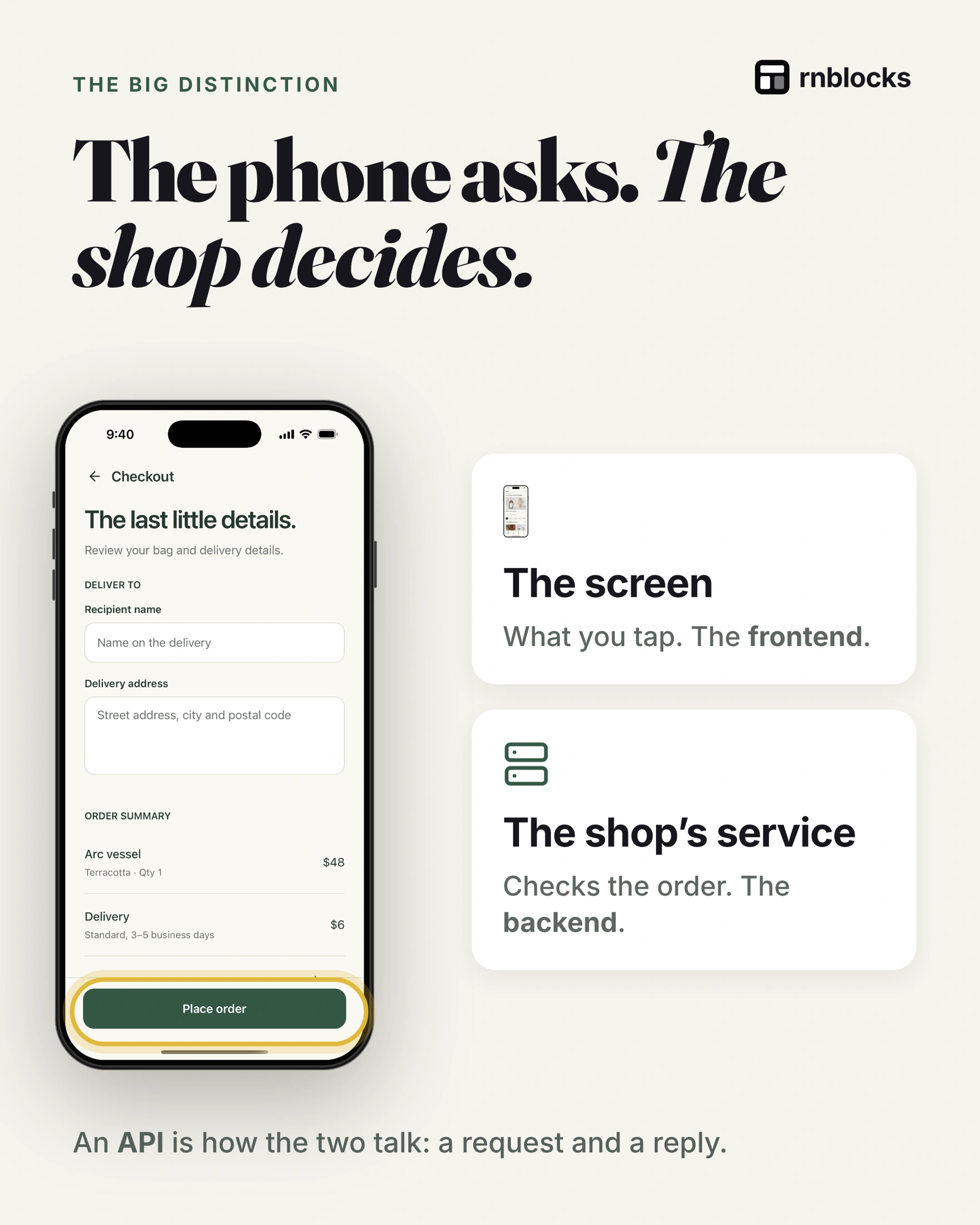
The phone asks and the shop decides. The screen (the frontend) sends your choices as a request through an API to the shop's service (the backend). The backend checks stock, the total and delivery, a payment provider confirms payment, the order is saved in a database, and the app shows the result. A button animating is not proof that any of that happened.
Three checks before yes
- Still in stock? Someone may have bought the last one.
- Is the total right? Current prices and delivery cost, calculated on the server.
- Can it get there? Address and delivery options.
Tapped is not paid
A payment provider (such as Stripe, Apple or Google) decides whether payment went through. Waiting and declined are real states too, and neither should show "paid".
Paid, then the app closes
The shop should hear about the payment directly from the provider, not from your phone. That way the order is safe even if the app closes or the signal drops.
Two taps, one order
A slow network and an impatient thumb can send the same request twice. A good backend recognises the repeat and creates one order. The technical term is idempotency.
Test before real customers do
- Payment declined: does the app explain what to do next?
- App closed after paying: is the order still there when reopened?
- Same request twice: is there one order, not two?
Follow one order all the way through
Suppose a customer buys a ceramic mug. The basket shows one mug and a delivery estimate. When they tap Place order, the app sends the selected product and quantity, not an unquestionable instruction to charge whatever total the phone displays.
The backend checks the current product, price, availability and delivery rules. A modified app request must not be able to buy the mug for one cent by changing a field on the phone.
There is more than one success
| Stage | What success means |
|---|---|
| Request accepted | The backend received a valid attempt |
| Payment processing | The payment has not yet reached a final result |
| Payment confirmed | The provider reports the appropriate successful state |
| Order confirmed | The shop has recorded the accepted order |
| Fulfilled | The goods or service have actually been delivered |
The interface should use wording that matches the stage. 'Order received' and 'Payment complete' are not interchangeable. A payment can require an extra bank authentication step, and the user can leave before it finishes.
Why the shop listens to the payment provider
A webhook is a server-to-server message announcing an event. Payment providers use these messages to report outcomes even if the phone closes. Your backend verifies the message and updates the order appropriately.
Messages and requests can arrive more than once. The backend needs to recognize an event already handled and avoid sending a second confirmation or creating another paid order. Disabling the button on the phone is helpful, but it cannot prevent every duplicate request.
What happens when the screen freezes after payment?
Do not immediately tell the person to pay again. The payment may have succeeded while the response back to the phone failed. Reopen the order status using the existing attempt identifier and ask the backend for the result.
A useful message explains the uncertainty: 'We are checking your payment. Do not submit another order yet.' Show the final result when it is confirmed and provide a support route if it remains unresolved.
Test without charging real customers
Use the provider's test environment to simulate approval, rejection and additional authentication. Check closing the app at awkward moments and repeating the same request.
For physical products, also test sold-out stock and a changed delivery address. If you sell digital app features instead, payment architecture and store rules differ by product and market. Decide that route before implementing a checkout that may not be appropriate for the release.
The lesson applies beyond shopping: any consequential button should have clear validation, a durable result and a sensible recovery path when the connection fails.
Is a basket stored in the same way as an order?
Not necessarily. A basket is a proposed purchase that can change. A confirmed order needs a durable record of what was accepted, including the relevant prices and fulfillment details. Recalculating an old order from today's catalog can produce the wrong receipt.
Can the phone decide the final price?
It can display an estimate, but the trusted service must validate the actual amount. People can alter client requests. The backend should determine the applicable prices, discounts and delivery rules rather than accepting a total as unquestionable.
What if payment succeeds but stock is unavailable?
The business needs an intentional policy and implementation for reservation, confirmation and refunds. Different products use different sequences. The important point is to define the states and recovery behavior instead of assuming every external operation succeeds together.
What should a beginner build first?
Prototype catalog browsing and a basket with sample data. Then design a complete test checkout using the appropriate payment environment. Add the difficult cases before accepting real purchases. A checkout demo is useful for layout, but it should never be mistaken for verified payment handling.
Build it with RNBlocks
Build the shopping journey in RNBlocks, then define the real services and confirmation behavior it needs. Our agent can help create and refine the interface through conversation. Use the tests above to distinguish a convincing checkout screen from a correctly implemented order process before accepting real purchases.
Ready to build?
Build, connect and publish iOS and Android apps with AI.