RNBlocks FAQ: What It Builds, Who Owns the Code, and What Publishing Includes
Answers to the most common questions about RNBlocks: what apps it builds, coding knowledge, code ownership, publishing and costs.
What is RNBlocks?
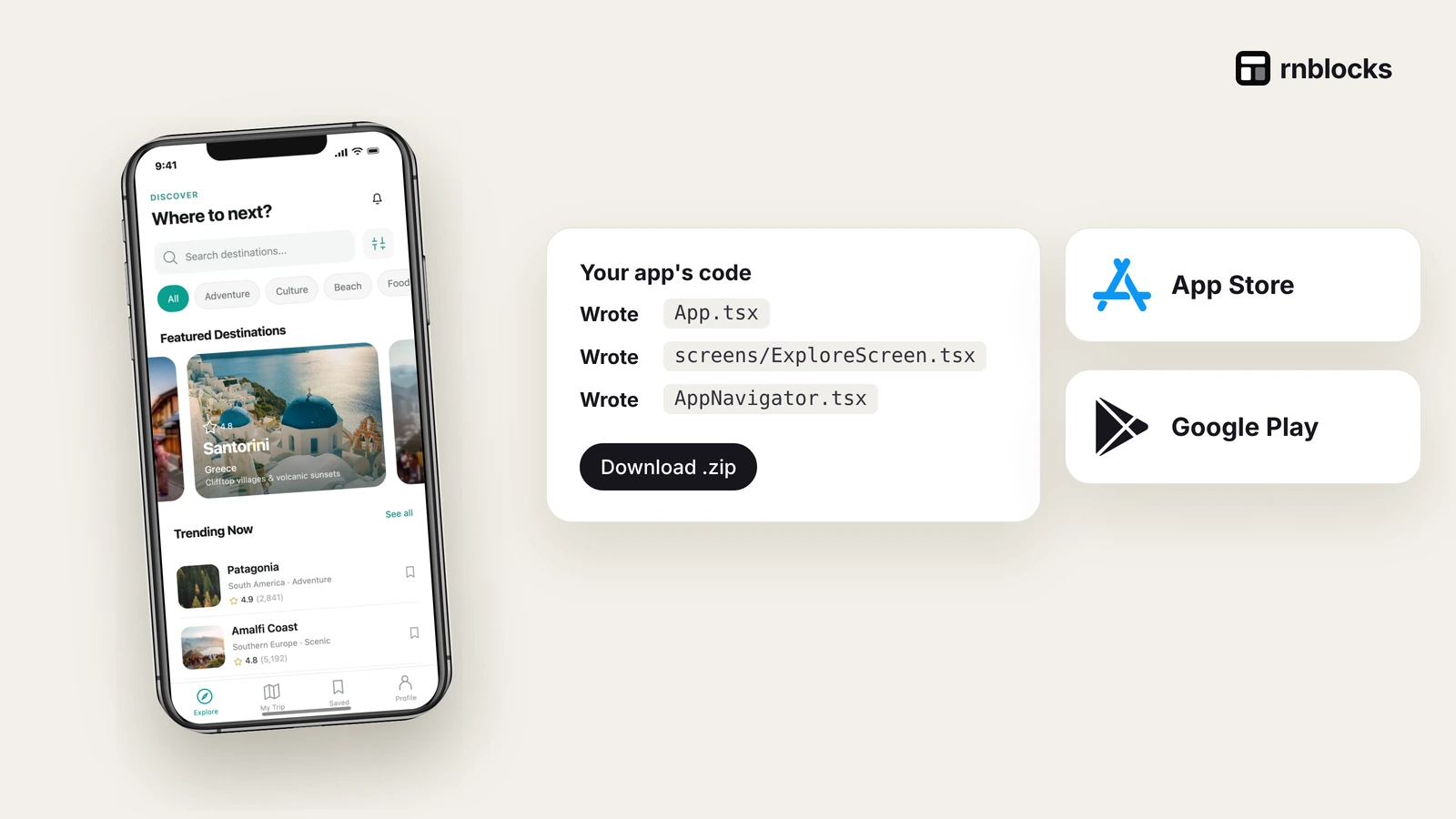
RNBlocks is an AI mobile app Studio for building, connecting and publishing iOS and Android apps with React Native and Expo. Describe an app, refine it with the Studio agent, test it in a native preview or on your phone, connect services such as Supabase, and work with the publishing agent on screenshots, builds and store submission.

What can I build?
Booking tools, habit trackers, community apps, travel planners, stores and business apps. Large 3D games need a game engine instead.
Do I need to know how to code?
No to start: describe your idea and ask for changes. Complex features can need a developer's help.
Can I keep the code?
Yes. Pro and Studio plans include source downloads of the React Native and Expo project.
Which services can I connect?
Supabase, OpenAI, Anthropic, Groq, Replicate and ElevenLabs. Each has its own pricing.
Does submitting mean my app is live?
No. Submission, store review and public release are separate. Apple and Google decide approval.
How much does it cost?
100 free promotional credits to start; Pro $15/month; Studio $29/month. See the cost breakdown.
Can I build on my phone?
Yes. Studio works on a phone: switch between Prompt and Preview, and open your app in Expo Go.
Who is it for?
RNBlocks suits people who want to build a mobile app from a description and refine it through conversation. It generates React Native and Expo projects targeting iOS and Android. People who already know those tools can also use the generated project as a starting point.
It is not a replacement for every kind of engineering. Unusual hardware, complex regulated workflows or large 3D games can require specialist tools and expertise.
What should my first request include?
Name the audience, the main task and the information that should be saved. For example: 'A reading log for a book club. Show the current book, let me record progress and keep my notes after reopening. Leave chat out of the first version.'
You can attach a sketch or image as a reference and explain which details matter. A reference is more useful when accompanied by behavior, not only appearance.
Does a preview mean the app is finished?
No. A preview helps inspect screens and supported behavior. Test persistence, permissions and connected services, then use the appropriate installed build for device-dependent features.
A QR code, successful build and processed upload are useful milestones, but each proves something different. None alone establishes a public release.
Can the publishing agent publish an existing external project?
The documented workflow is for apps built in RNBlocks. Do not assume arbitrary external projects can be imported automatically. If you have an app elsewhere, first clarify whether you need a rebuild, a supported connection or a different release workflow.
What does publishing help include?
The workspace brings together release settings, app checks, store details, screenshots, account connections and supported build and submission steps. Some account enrollment, agreements and provider forms remain in the relevant consoles.
Apple and Google decide approval. Describe whether your next goal is a device test, beta distribution or a public store release so the workflow can follow the right destination.
What does code download include?
Eligible paid plans include the project source so you can continue in your own tools. A ZIP does not transfer hosted databases, provider accounts or store credentials. Document those dependencies and verify connected features after export.
Local edits do not automatically sync back into RNBlocks. Decide where you want to continue maintaining the app.
Are connected services included in the subscription?
The listed providers have their own plans and usage charges. Building an AI feature and paying for every request made by the app's users are separate costs. Enter secret credentials through the supported private connection forms.
How should I judge the first result?
Complete one real task, close the app and repeat it. Check the intended data and account behavior. Ask for a focused change when something differs from the brief.
You can start without writing code, but you still choose the product's purpose and verify what it does. A small working journey is a better foundation than a large collection of screens that only look finished.
Can I start from a template?
Yes. Choose a template or flow close to the task and adapt it through conversation. Review which content is sample data and which behavior needs service connections. A starting point can save setup without automatically completing production requirements.
Can I work on a phone?
RNBlocks supports a mobile layout, while a larger screen can be convenient for reviewing multiple panels and release details. Use the environment that helps you inspect the task clearly. Preview and installed-device testing still serve different purposes.
Does the app automatically get users after publishing?
No. Building and releasing create a usable product and installation route. You still need to reach the right audience, explain the task and learn from actual use. A clear listing and trustworthy screenshots help communicate the product.
What if something fails?
Record the screen, action, device and visible result. Ask for a focused investigation in the same conversation and repeat the original task after the change. Keep credentials and private customer information out of messages and public examples.
What is a sensible first goal?
Build one useful journey, try it on the relevant device and confirm what it saves or changes. Then refine from what you observe. RNBlocks brings building and release preparation together, but your clearest path starts with a specific task and a result you can actually check.
Build it with RNBlocks
Build and publish iOS and Android apps with an AI agent in RNBlocks. Start free with a description, sketch or useful template, refine the app and connect supported services. When it is ready, continue with our publishing agent for store preparation and supported release steps.
Ready to build?
Build, connect and publish iOS and Android apps with AI.