How Does Login Work in an App? Authentication Explained Simply
Who checks the password, the difference between authentication and authorization, sessions and tokens, and why hiding a button does not lock anything.
How does login work in an app?
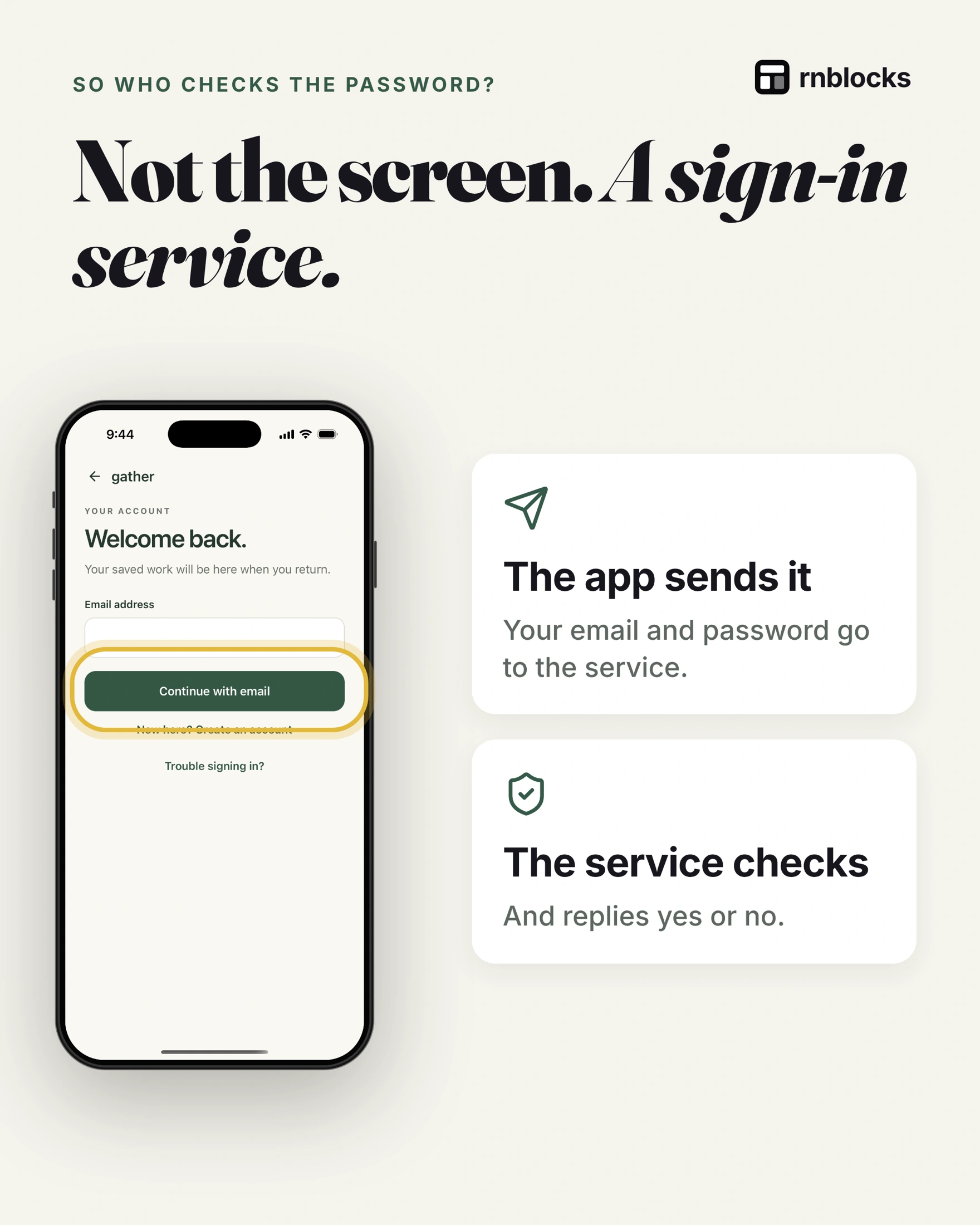
The login screen is only the front door. When you tap Continue, the app sends your email and password to a sign-in service, which checks them and replies with a pass (a session, often carried by a token). After that, the server checks the pass every time the app asks for your data.
Two different questions
- Who are you? Checked at sign-in. This is authentication.
- What can you open? Checked for each thing. This is authorization.
You get a pass, not the password
- The app keeps a pass so you are not asked every time.
- Passes expire, and then you sign in again.
- Signing out throws the pass away.
The part people miss
Hiding a button in the app does not lock a door. The server must check the pass every time someone asks for a record. Otherwise anyone who knows the request can read other people's data.
Do not build the lock yourself
- Use a proven sign-in provider such as Supabase Auth or Firebase Authentication. They handle passwords, resets and security updates.
- Never store plain passwords. Providers store them in a protected form.
- Check access on the server, not only in the app's screens.
Try to break your own door before launch
- Wrong password: is the message clear without revealing too much?
- Forgot password: can someone actually get back in?
- Two accounts: can user A ever see user B's things?
Authentication and authorization are different jobs
Authentication answers 'Who is this person?' Authorization answers 'What are they allowed to do?' A successful login does not mean the person should be able to open every record in the database.
In a tutoring app, a tutor might see their own students while an administrator sees a wider schedule. Both can sign in. Their permissions must differ on the backend, rather than relying on hidden buttons in the interface.
What happens after the password is accepted
The authentication service establishes a session. The app uses that session when requesting protected information, so the person does not retype their password for every screen. Sessions expire or refresh according to the service's configuration.
Store session material using the framework and provider's recommended approach. Do not invent a system that puts raw passwords into ordinary local storage or sends them with every database query.
Design the rest of the account journey
| Journey | Question to test |
|---|---|
| New account | Can the person verify their email and continue? |
| Returning user | Do they reach their own saved information? |
| Forgotten password | Can they recover access on a phone? |
| Signed-out state | Are private screens and cached records protected? |
| Account deletion | Is the account actually removed through the intended process? |
Social sign-in adds provider configuration and redirect handling. A Google button that looks right does not prove the store-installed app has the correct signing fingerprints or callback settings. Test the actual build.
Handle errors without exposing accounts
Use helpful but appropriate wording when a sign-in or reset request fails. Avoid exposing whether an email belongs to a user in places where that would disclose account membership. Rate-limit sensitive actions and let the authentication provider handle password security.
Also decide what happens if a session expires during a task. Ideally the person understands why they must sign in again and does not lose a long form unnecessarily. Private draft data still needs suitable protection.
Use two accounts before release
Create a private item with account A. Sign out, sign in as B and check that it is not visible. Try the relevant data operations, not just the list screen.
Then return as A and confirm the item remains. This simple exercise can reveal confusing account switching, stale local data and missing access rules. It does not replace a security review, but it is a more meaningful starting point than checking that the login animation completes.
Do I need to build password storage myself?
Usually not. A maintained authentication provider handles the sensitive mechanics. You still configure the app, redirect routes, permissions and account lifecycle correctly. Using a provider reduces some work without making the surrounding product automatically secure.
Can people share one test login?
A shared demo account can be useful for store review if it is configured appropriately and contains no private customer data. It is not a good substitute for testing separate user identities. Shared credentials can hide data-isolation failures.
What happens if someone signs in while offline?
Behavior depends on the existing session and local design. The app may be able to show previously cached information, while establishing a new remote session requires connectivity. Explain unavailable actions rather than presenting a network failure as a wrong password.
Should every app require signup?
No. Require it where the task needs identity, private data or shared access. A local utility may work without one. If signup is optional, test the transition from guest work to account data so the first useful result is not lost.
What makes account access ready?
New signup, returning login, recovery, logout and deletion should all behave intentionally. A successful first login checks only one route. Test at least one fresh account and a second account with different private records.
Build it with RNBlocks
Use RNBlocks to build an app with a defined account journey and connect Supabase where appropriate. Ask our agent for private per-user data, recovery and the relevant account controls. Verify those journeys on the intended devices rather than stopping at an attractive sign-in form.
Ready to build?
Build, connect and publish iOS and Android apps with AI.