Google Play's 12 Testers for 14 Days Rule: How to Get Through It
Who the closed-testing requirement applies to, how to recruit testers who actually use the app, and how to apply for production access.
What is Google Play's 12 testers for 14 days rule?
For personal developer accounts created after November 13, 2023, Google requires a closed test with at least 12 testers opted in continuously for 14 days before you can apply for production access. Organization accounts are not subject to this threshold. Reaching it lets you apply; Google then reviews your answers and decides.
Step by step
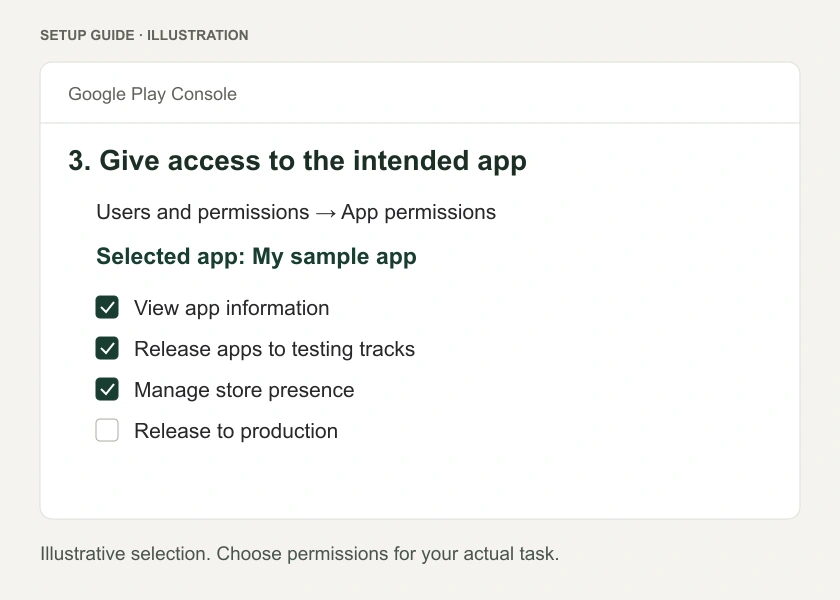
- Pay the one-time US$25 registration fee and verify your identity in Play Console.
- Create the app and upload a build (an Android App Bundle,
.aab). - Create a closed testing track and add testers by email list or Google Group.
- Share the opt-in link. Testers must open it with the listed Google account and install the app. Adding an email is not an invitation by itself.
- Keep 12 or more testers opted in for 14 days straight. Dropping below 12 can restart the clock.
- Fix issues found during testing and retest the affected tasks.
- Apply for production and describe your testing honestly and specifically.
Where to find 12 real testers
- Friends and family who fit your audience, with a clear task to try.
- Communities where developers swap testing (many subreddits and Discord servers do this).
- Early users from a waitlist or social posts.
Choose people who will try realistic tasks and provide useful feedback. Describe the actual testing honestly in the application.
What to track
Keep a simple log: who tested, what they tried, what broke, what you changed. You will use it in the production application form.
Common mistakes
- Using internal testing instead of closed testing.
- Testers who opt in but never install.
- No updates or feedback to report at the end of the 14 days.
Make the fourteen days useful
The point of a closed test is to expose problems before public users find them. Choose tasks that fit the app and repeat naturally. A weekly planner might need a tester to make a plan, change it later and return after a reminder. A shopping app needs product discovery, basket changes and an appropriate test checkout.
The published opt-in requirement does not mean every tester must perform an identical daily ritual. Avoid presenting invented daily-use quotas as Google policy. Give people realistic tasks and answer the production-access questions from what actually happened.
Before the test clock matters
You need an eligible account, an available closed release and people who can access it. Set up the track, add the correct email accounts or group, and share the opt-in link. Ask one person to walk through the invitation before sending it to everyone.
If the test build is unavailable, check whether the release is active and the person joined with an eligible account. Someone may have accepted in one browser account and opened Google Play in another. Explain that mismatch in plain language instead of sending them multiple new links.
Internal testing can be useful for catching an immediate crash before recruiting the wider group. It is a different track and does not replace the qualifying closed test.
A practical testing schedule
| Stage | Useful work |
|---|---|
| Before invitations | Fresh installation, working login and clear task instructions |
| Early testing | Find blockers that prevent the main task |
| Middle of the test | Fix observed issues and ask affected testers to repeat the task |
| Later testing | Check returns, saved data and less ideal conditions |
| Production application | Summarize recruitment, engagement, feedback and readiness |
There is no benefit in keeping a broken app unchanged for two weeks. Ship a fix when needed and keep the same testing journey organized. An update motivated by a real problem is more valuable than an arbitrary color change.
Recruit for feedback, not just a count
For an app aimed at restaurant owners, twelve unrelated developers can find crashes, but they may not tell you whether a menu-update flow is useful during service. Combine technical testing with people who understand the task.
Explain the commitment before people join. Tell them which device they need, how to report an issue and how long you expect the test to remain open. Recruit a buffer beyond the minimum where possible, without misrepresenting anyone's participation.
When the minimum is reached
Open Play Console and check the account's own eligibility status. Do not calculate approval from a calendar reminder alone. A tester who opts out and rejoins does not retain a continuous run through that gap.
Answer the application honestly. If production access is not granted, read the requested next steps and continue the appropriate test. The tester threshold is not an automatic release button, and production access does not remove the app's normal review and policy requirements.
Keep the invitation separate from the instructions
The opt-in link grants a route to join; your task instructions explain why the person is testing. Send a short description of both. Ask one tester to confirm the installation before recruiting the rest. This catches account mismatches and unavailable releases early, without mistaking an access problem for poor engagement with the app itself.
Questions people also ask
Can I use an organization account to skip the rule?
Organization accounts need a registered business and verification details such as a D-U-N-S number. Do not create a business only to avoid testing.
What if my application is declined?
Read what to do when production access is declined.
Build it with RNBlocks
RNBlocks helps you create the Android app and prepare supported build and publishing steps. Use that alongside a genuine closed test, not as a substitute for one. Start free with the main journey, then prepare an installed test version before recruiting a wider group.
Ready to build?
Build, connect and publish iOS and Android apps with AI.